Fix Illegal/Mismatched Collation Issue
-
Log in to phpMyAdmin
- Open your web browser and navigate to your phpMyAdmin URL.
- Enter your username and password to log in.
-
Select the VLSM database
- On the left-hand side of the phpMyAdmin interface, locate and click on the vlsm database.
-
Go to the "Operations" tab
- Click on the "Operations" tab at the top of the page.
-
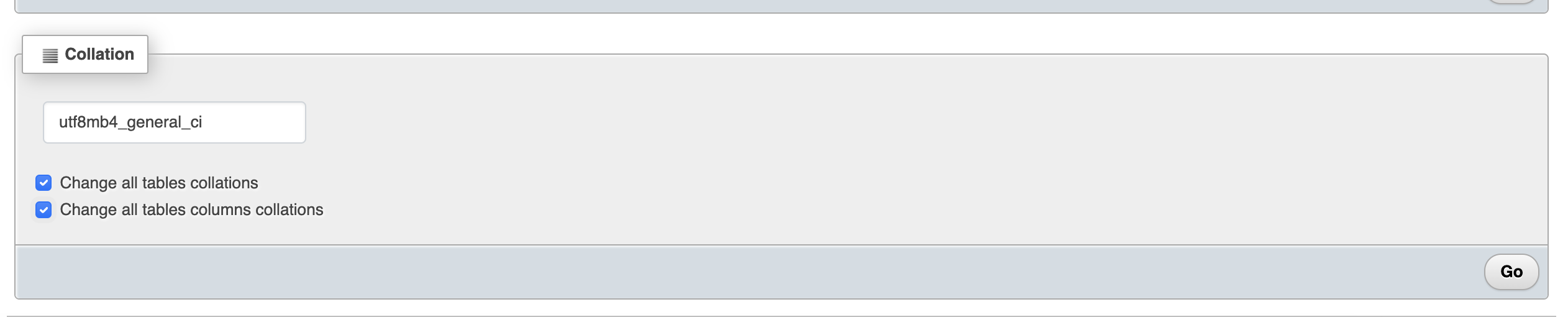
Locate the "Collation" section
- Scroll down to the "Collation" section on the "Operations" page.
-
Select the desired collation
- In the "Collation" dropdown menu, choose the
utf8mb4_general_cicollation.
- In the "Collation" dropdown menu, choose the
-
Check the options to change collation
- Check the checkbox next to "Change all tables collations" to apply the selected collation to all tables in the database.
- Check the checkbox next to "Change all tables columns collations" to apply the selected collation to all columns within all tables in the database.
-
Apply the changes
- Click the "Go" button to execute the collation change for all tables and columns in the database.
-
Wait for the process to complete
- phpMyAdmin will now apply the selected collation to all tables and columns in the database.
- Wait for the process to finish. The time taken may vary depending on the size of the database.